Helix servers Configuration
Section responsible for Helix server configuration Configuration->Helix servers configuration.
The individual tabs correspond to the sections in the config.ini Helix file. If the console is connected to more Helix servers, you can select the desired instance from the list.
Basic information:
Modified values are highlighted in yellow.
Parameters that have been entered with invalid values are highlighted in red.
The Refresh all configurations button takes the configuration of all Helix servers.
The system controls the saving of changes on individual instances.
ODBC source configuration (Helix)

The ODBC source configuration includes connection parameters to the database. The source is automatically configured during console and Helix server installation. If the server on which the database is located has been changed or its address has been changed, the configuration must be edited.
ODBC source configuration (Console)
To configure the ODBC source for the console, go to the directory C:\Windows\swow64 and run the file odbcad32.exe.
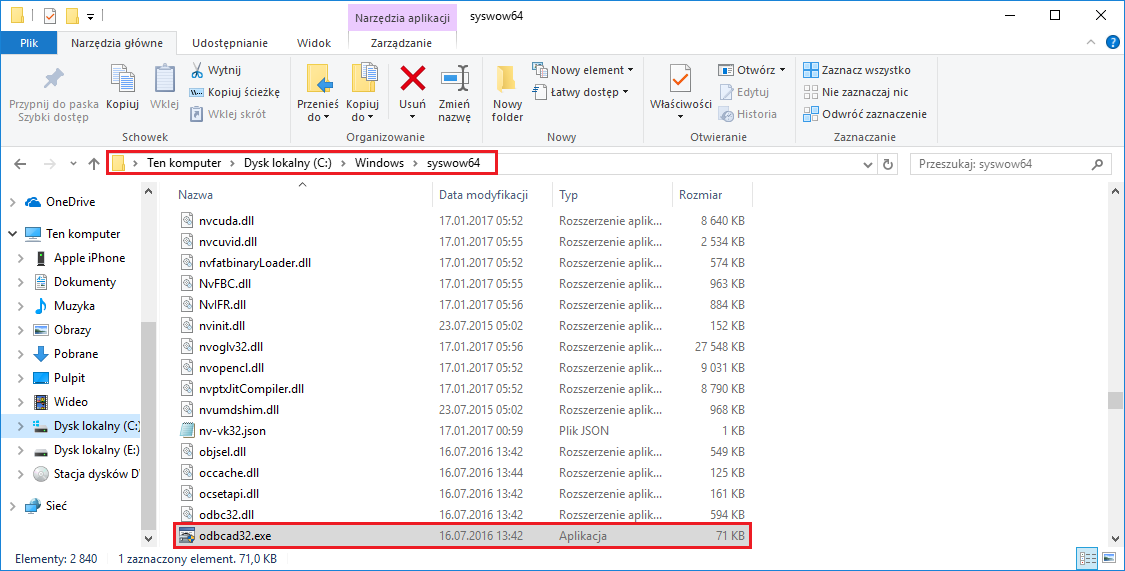
On the System DNS tab, select an existing or add a new data source:

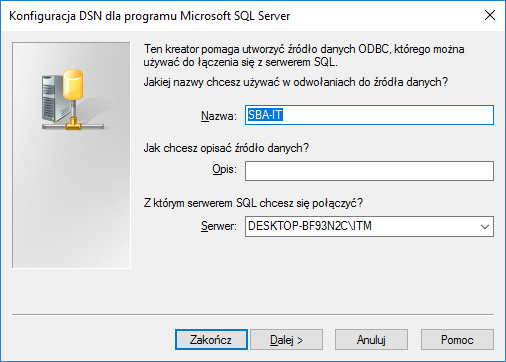
In the next window, enter a name for the connection and select Server.
Then select Authenticate SQL Server using the login ID and password provided by the user.
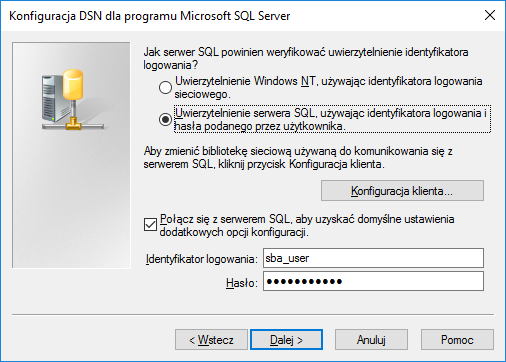
Enter sba_user in the Login field and Sba_U$er123 in the Password field.
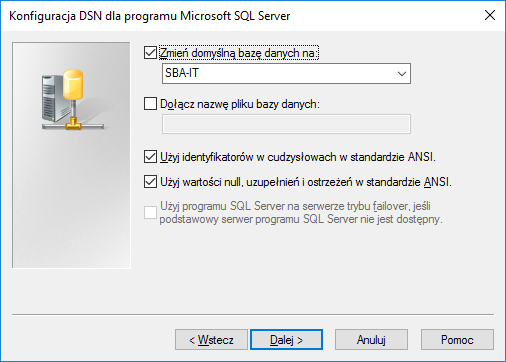
In the next window, set the default database to SBA-IT.
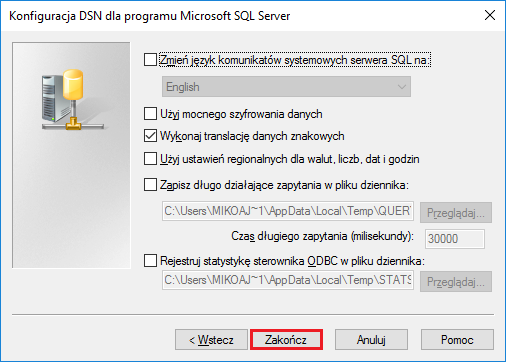
In the next window, click ** Finish**.
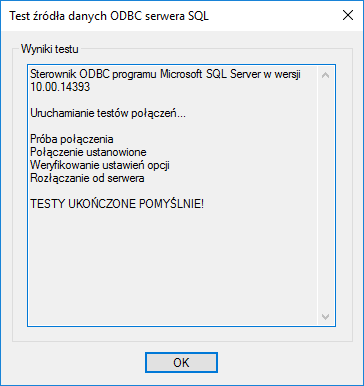
In the new window, select Test data source... to verify the settings
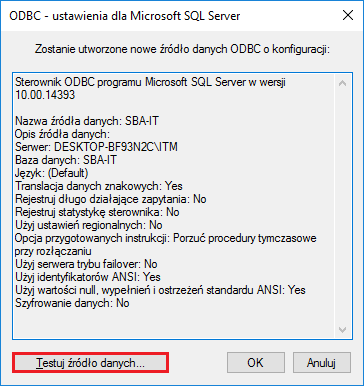
After successfully passing the connection test, you can close both windows by clicking OK.