
Agents configuration
Global configuration
IT Manager agent packs no longer contain a predefined configuration. The agent downloads its configuration after connecting to the database (directly or via Helix). The agents are configured using the management console.
Three configuration layers are available in the system:
Global configuration,
Configuration of the position group,
Configuration of a single station.
Each configuration property defined in the global configuration is inherited by the group configuration and the deployment configuration, unless in the group or deployment configuration the inheritance of the property is disabled and a value is defined.
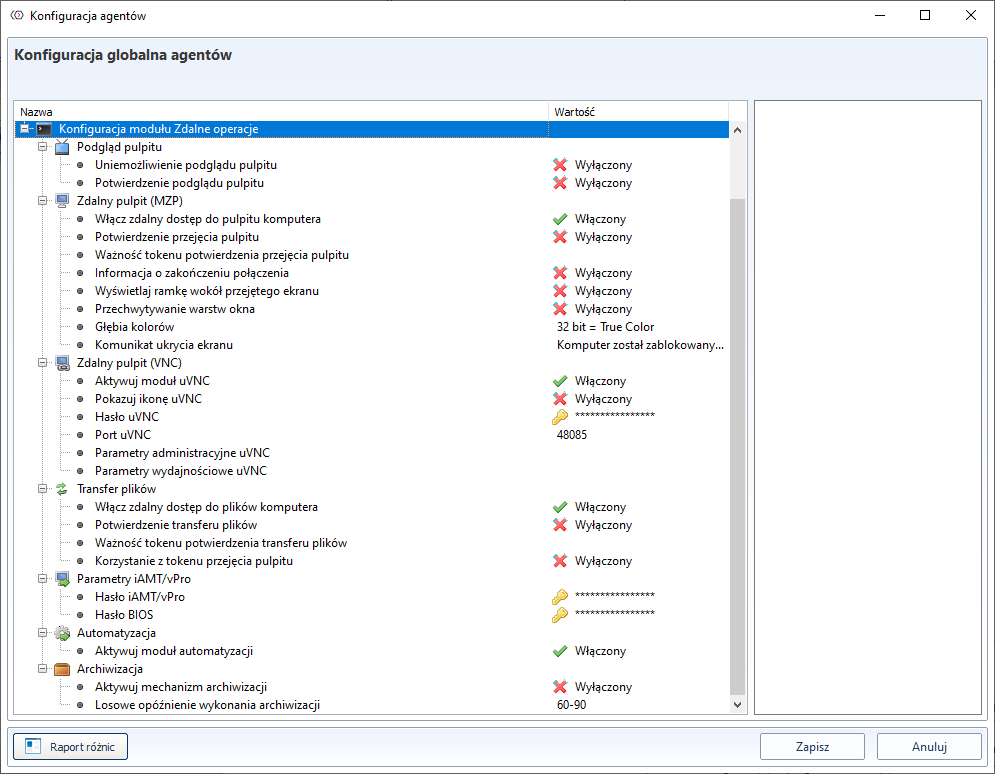
The global configuration is available under the button Agents configuration in the menu Tools.

The group and job configuration is available in the pop-up menu called up for the organisational structure or job list respectively.
In the configuration, yellow fields indicate that the value has changed in relation to what is in the database. To confirm the changes, click Save. A grey field indicates that the value is inherited from a higher level.
To disable the inheritance and enable your own value, right-click on the selected field and select New value from the pop-up menu. The grey field is then highlighted in white and can be changed.
The agent downloads the configuration at the start of the service, so the global configuration is best defined before installing the agents.
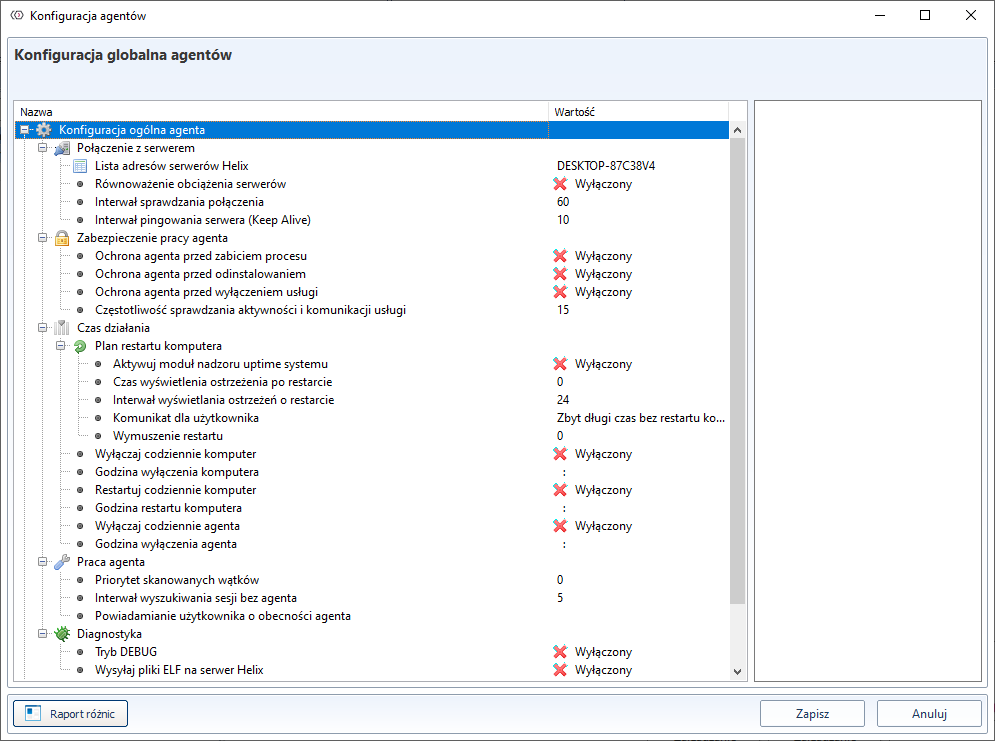
Tab General configuration allows you to define agent's working parameters not related to specific modules, such as Helix server address or TCP port for communication with the console.
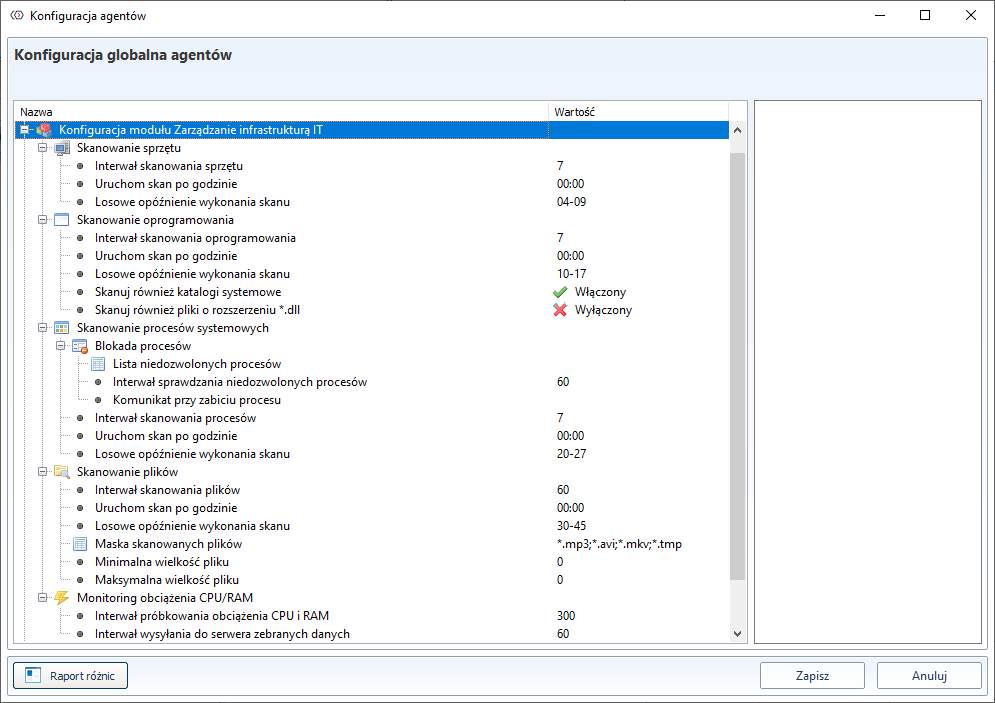
The tab IT infrastructure management allows you to define the parameters for performing scans of hardware, software, system processes and software audit (day, hour, minute).
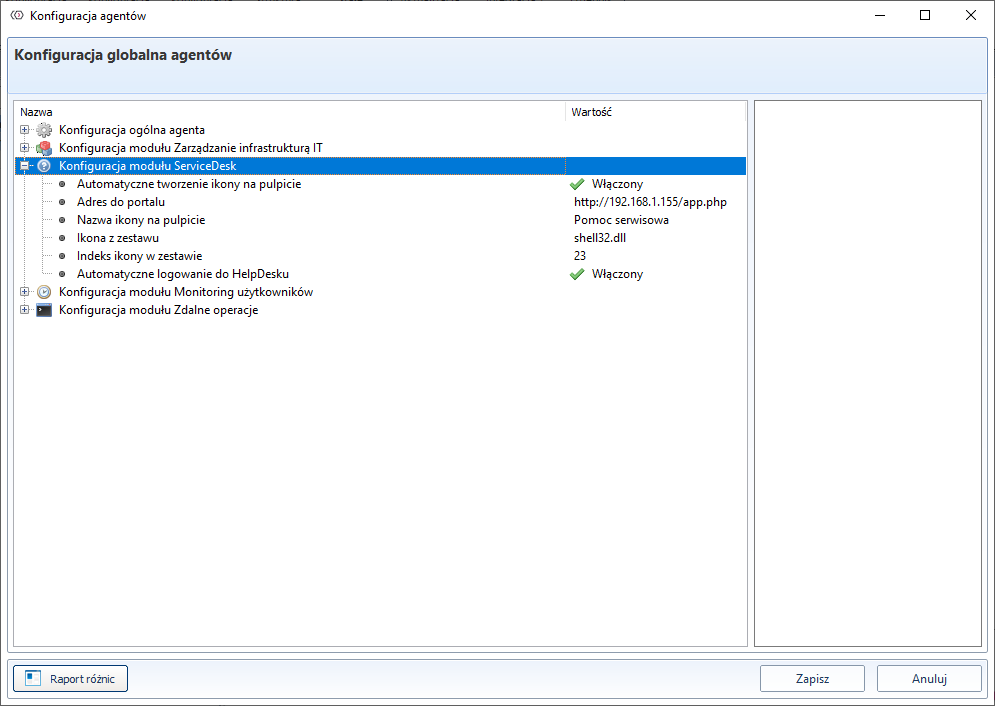
The ServiceDesk tab allows you to define the operating parameters of the ServiceDesk module, such as the name and appearance of the icon created on the user's desktop, blocking the preview of the user's desktop and taking over the user's desktop with or without his consent.
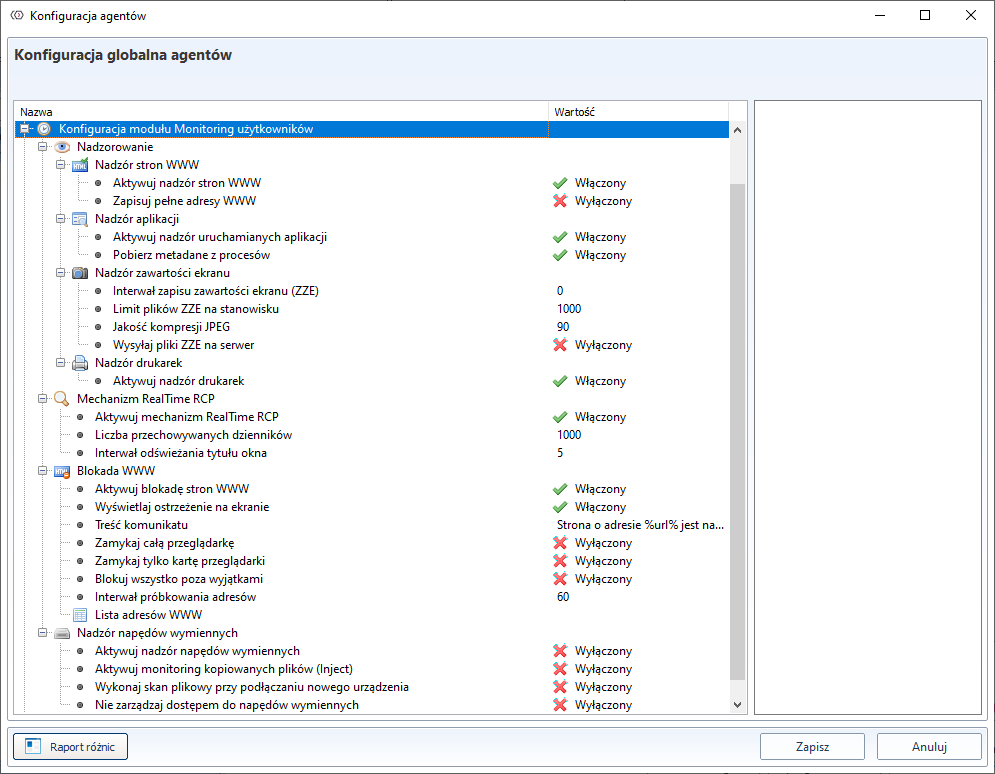
The Users monitoring tab allows you to activate the archiving module on the workstation and activation of the replacement drive supervision module.
The tab ** Remote operations** allows you to activate the remote management and automation module.
Group configuration
Each configuration property defined in the global configuration is inherited by the group configuration and the deployment configuration. However, it is possible to disable the inheritance of a property and define a new value.
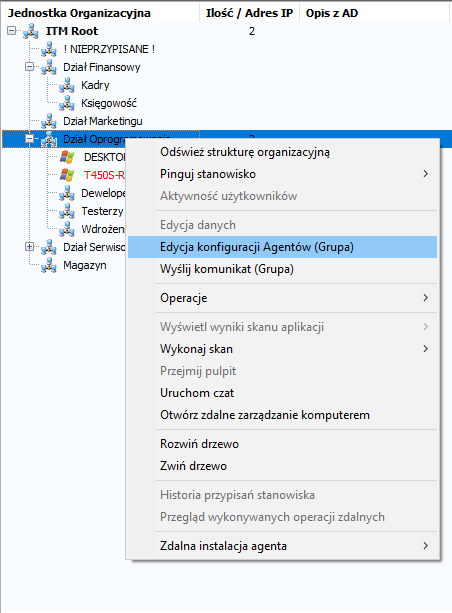
In order to define an individual configuration for a group of stations, select the option Edit agent configurations (Group) from the right-click menu in the Organizational Structure** tab.
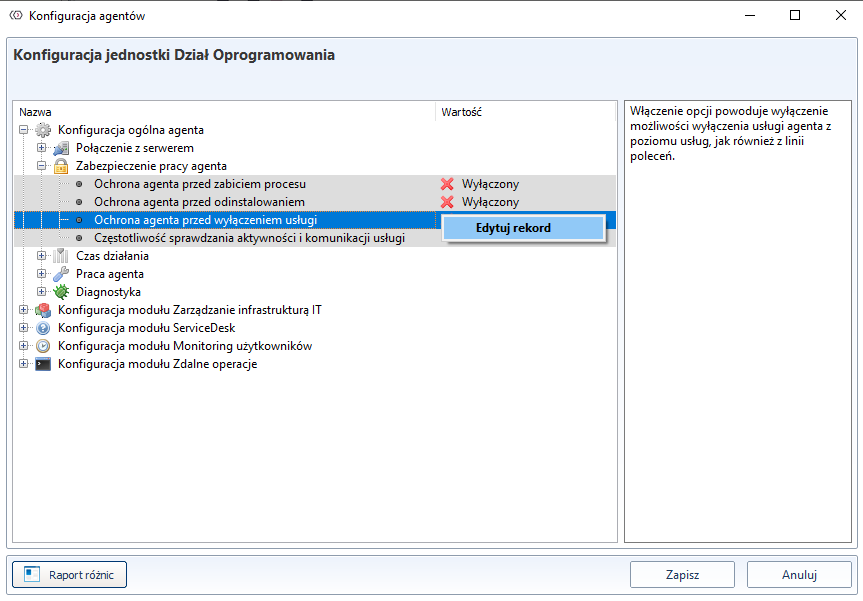
Then, in order to exclude the succession and introduce self-esteem, it is necessary to From the pop-up menu, select the option New value.
This will change the colour of the field from grey to white and allow you to edit the values. If you enter a new value, the field will change its colour to yellow, as shown in the figure below.
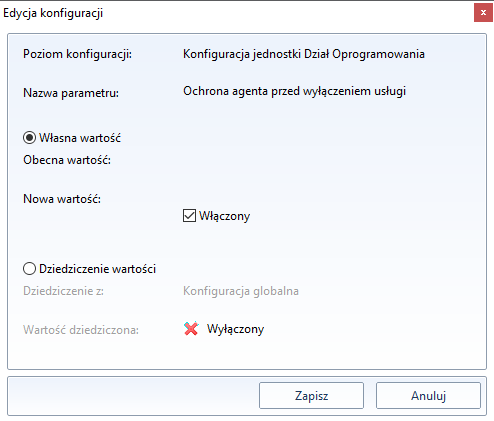
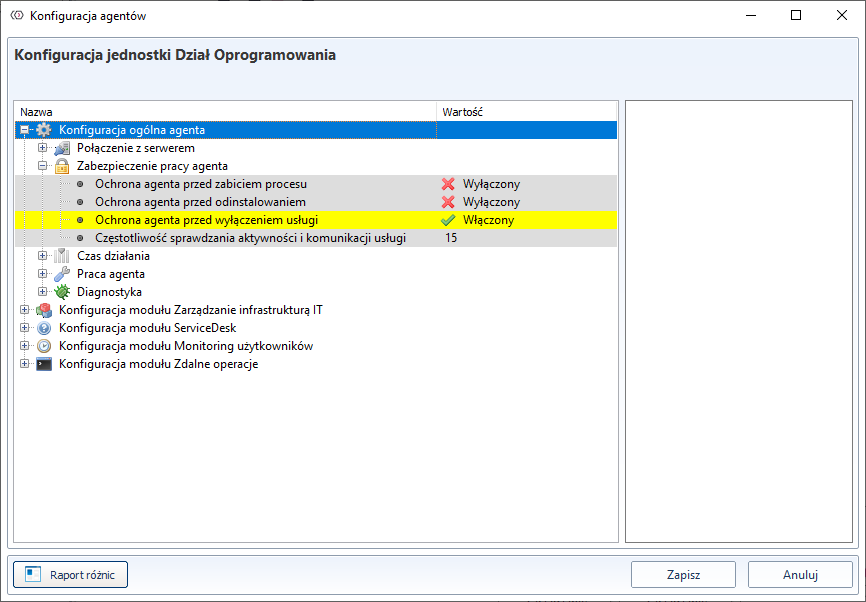
After saving the changes, the positions belonging to a given group will have a non-standard configuration.
Individual configuration
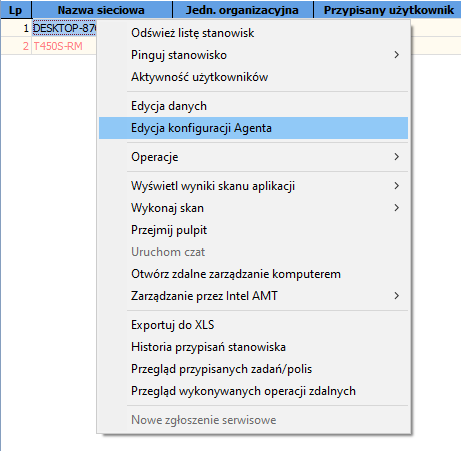
In order to define an individual configuration for a station (Workstation List), you should have the select the option Edit agent configuration from the right-click pop-up menu and then proceed as described above.
If a field in the configuration window is red, it means that it has no value in the global configuration. This happens, for example, after updating the IT Manager console - when a new working parameter is added in the agent configuration.
You should then go to the global configuration of agents window (Tools->Agents Configuration) and define default value for this field.